Introduction to Git and GitHub
What is Git?
Git is a version-control system for tracking changes in files—often from a coding and software development standpoint. Git is designed for coordinating work among programmers, but it can be used to track changes in any set of files.
What is a Git repository?
A git repository is a remote or online file repository in which git tracks files and conducts version control as changes are made.
What is GitHub?
GitHub is a web-based file-hosting service that is one of the many vendors that use git for file version control.
Why is Git important?
Git is an extremely powerful tool for software development. It has become the standard for versioning software and data science tools across industries and is even used to version data and enhance data reproducibility. For these reasons, proficiency in GitHub has become a critical job skill.
GitHub Version Control
- Modern web development is highly collaborative.
- Teams are often extremely large and spread out across the country or world.
- Apps are sometimes made up of hundreds or even thousands of files.
Activity: Create and Personalize a GitHub Repository
Complete the following steps:
- Navigate to GitHub and log in with your credentials.
- Create a new GitHub repository.
- Download the ZIP file of the GitHub repository and extract the contents.
- Modify the initialized README.md file and insert a quick introduction about yourself:
- Who are you? What’s your background?
- What are your career goals?
- Why did you choose FinTech as a career path?
- Update the README.md file in your online GitHub repository.
What is the GitHub Web App?
The GitHub web app provides a convenient user interface for performing common git operations.
What is Git CLI?
Git CLI is a command line utility that provides all git operations; it is generally more robust than a git-based graphical user interface (GUI).
Popular GIT commands
| git clone | Clones a git repository to the local file system. |
| git add | Adds changed files to the queue of tracked files ready to be committed. |
| git commit | Adds tracked files as a bulk checkpoint ready to be pushed to the remote git repository. |
| git push | Uploads changed files from the local git repository to the remote git repository and updates the remote files. |
| git pull | Downloads changed files from the remote git repository to the local git repository and updates the local files. |
What is a Git commit?
A git commit saves a queue of tracked changed files as a save or checkpoint for a git repository before the changes files are pushed from the local to the remote repository. This way, a repo can be restored to a previous checkpoint in time, thereby undoing any existing changes from that point.
What is Git’s Snapshot Model?
Git thinks of its data as a series of snapshots of a miniature file system. Every time you commit, or save the state of your project in git, it basically takes a picture of what your files look like at that moment and stores a reference to that snapshot. To be efficient, if files have not changed, git doesn’t store the file again; rather, it stores a link to the previous identical file it has already stored.
What Is Markdown?
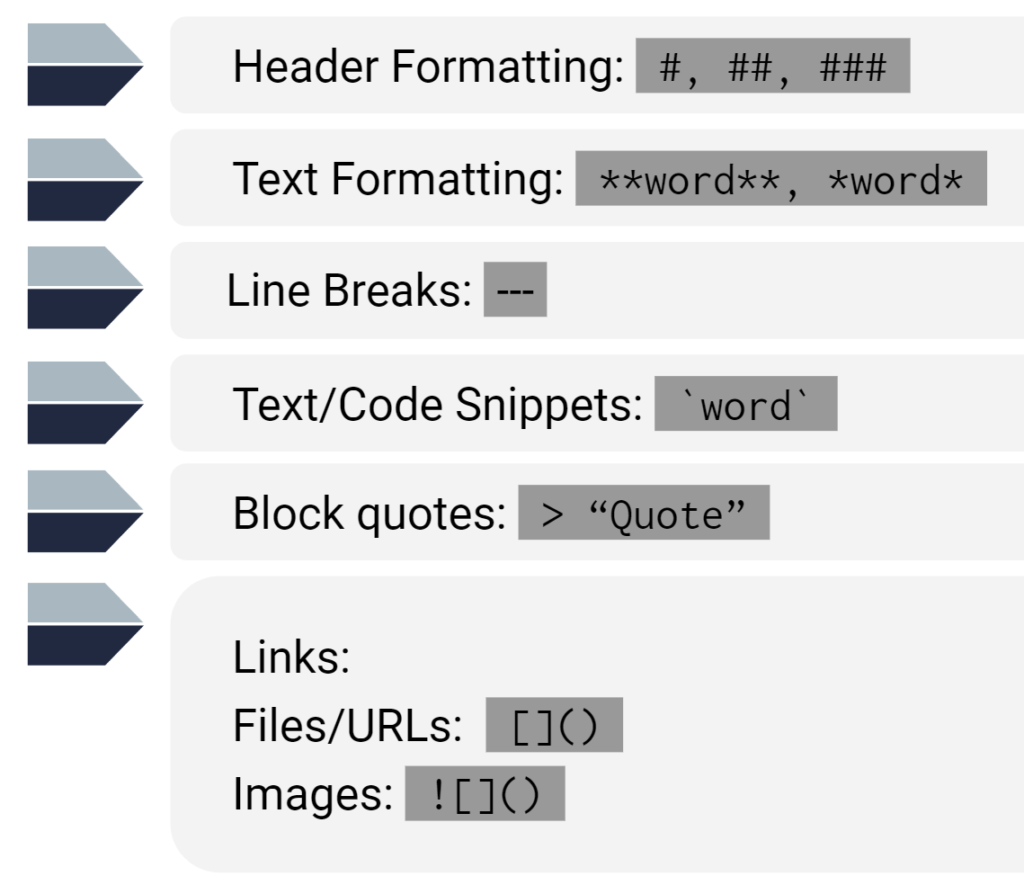
Markdown is a lightweight markup language that contains syntax for adding formatting elements to plain-text documents. Markdown provides features for creating visually enhanced documents that are rendered on the web.
Common markdown features