
Introduction to Python Pandas
Why is it called pandas?
According to *Python for Data Analysis*, written by Pandas inventor himself, Wes McKinney, the name pandas “is derived from panel data, an econometrics term for multidimensional structured data sets, and Python data analysis itself”(McKinney, 2013).

How do you access a column?
To access a column in your DataFrame you call the DataFrame variable plus the column by using either bracket or dot notation. For example, lets use the following DataFrame named `cylons`:
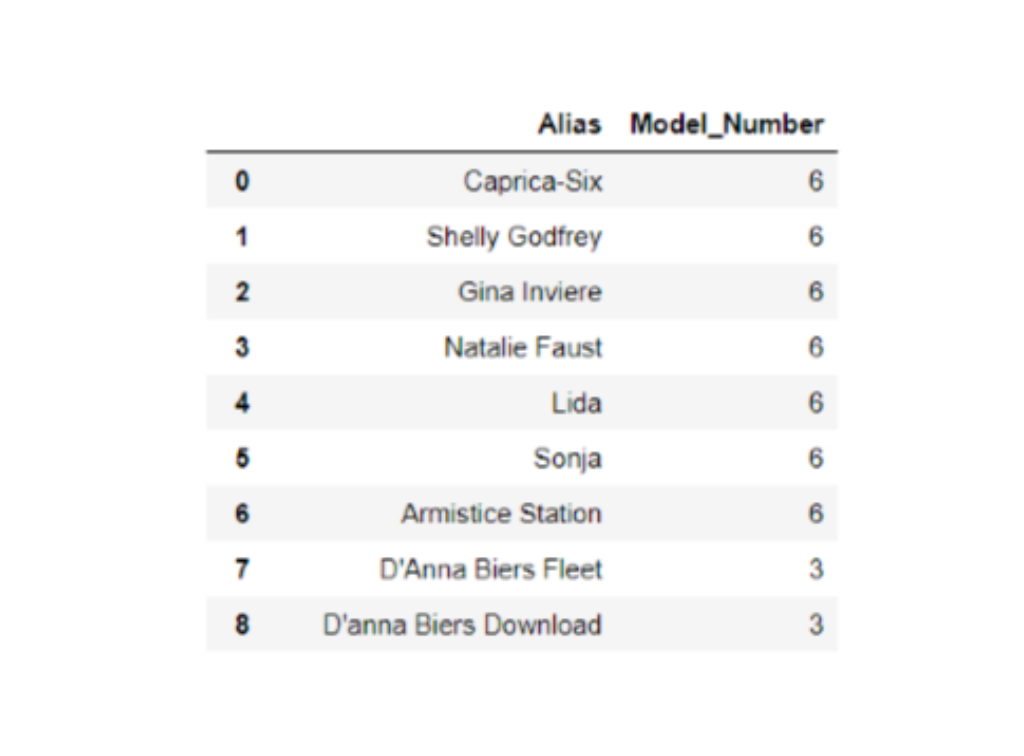
you would access the Model_Number column as follows:
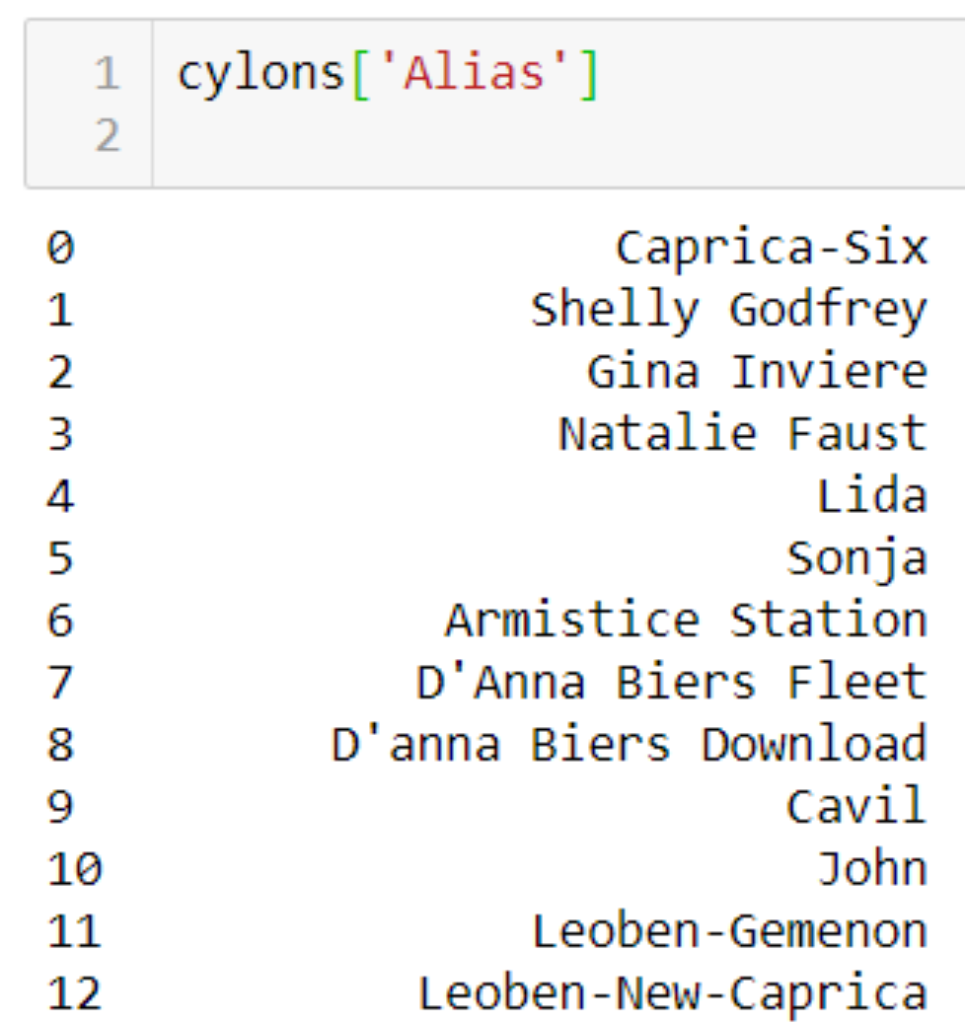
Why do I keep getting a key error?
If Pandas throws a key error at you, it can be really frustrating, especially when you just *know* you’ve typed in a value that is in the key. If this happens during the accessing of a column, try running the df.columns function to get a screen print of all the column names. You might have an invisible space or escaped line in the column name that doesn’t show up during normal printing, that will show up when this function is used.
In some cases you might be using a function that defaults to the row axis instead of the column axis. In that situation you will get an error like: `KeyError: “[‘X’] not found in axis”`. In that situation, yes the key exists but that function isn’t looking for the column keys, but rather a row value.
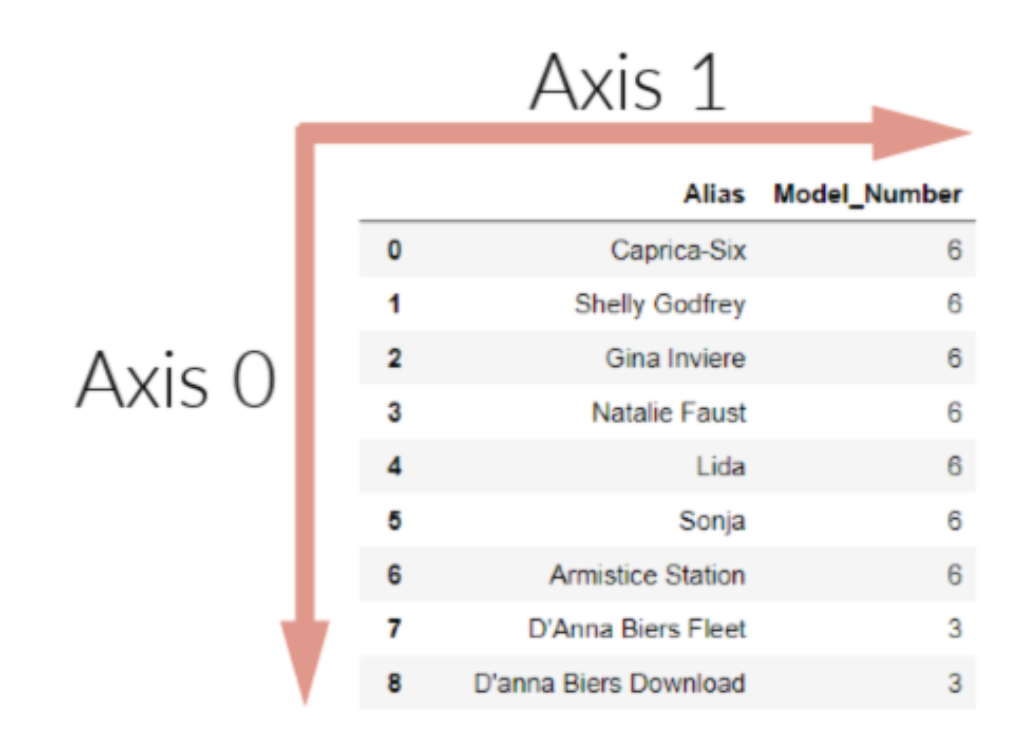
What is a DataFrame axis?
A DataFrame axis is simply the column headers or the row index positions. This image helps to visualize it:
What is the difference between a Series and a DataFrame?
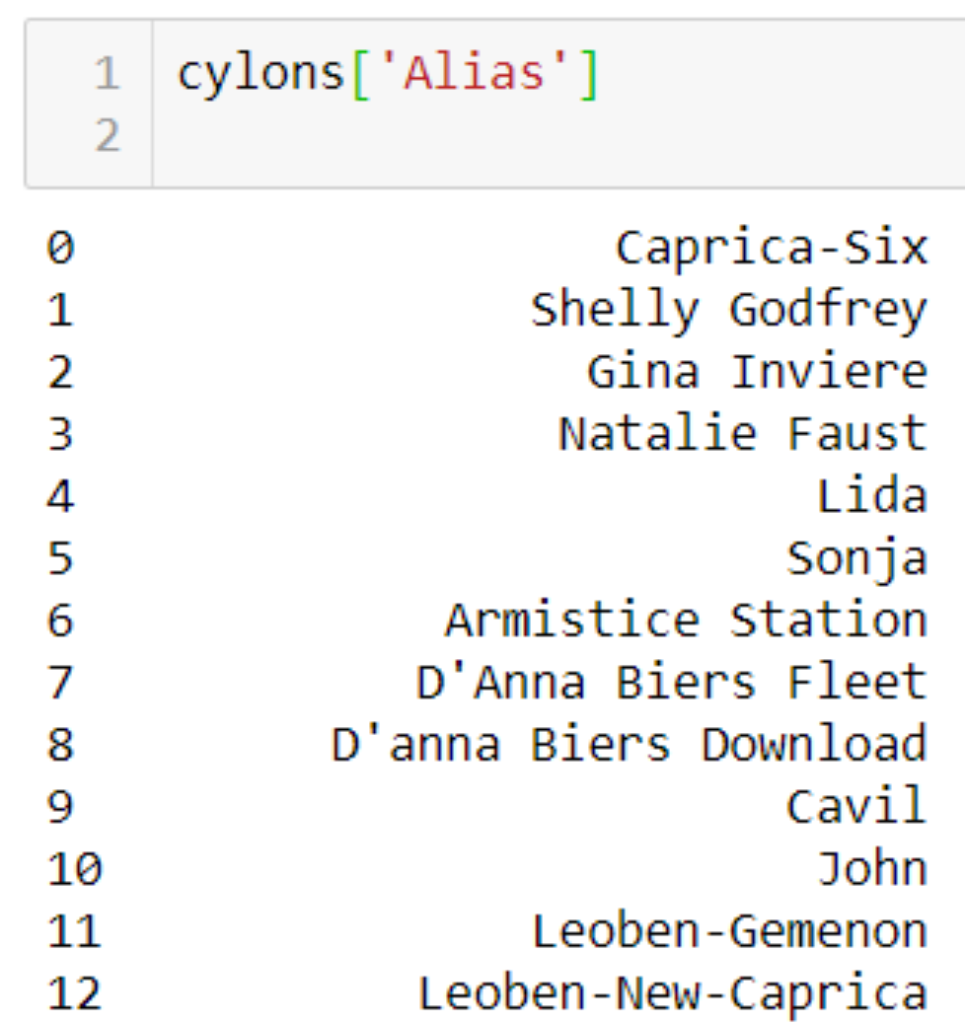
A DataFrame is a 2D matrix object holding rows and columns. A Series is a 1D object, much like an array, though it can have an index. When a single column is extracted from a DataFrame, it is a Series object. The following image shows a Series object extracted from our cylons DataFrame:
Why do my Dataframe changes disappear when I move to the next cell in Jupyter?
When a DataFrame is stored in a variable, it is a one time snapshot of the DataFrame at the time of storage. If you make changes to the DataFrame, you must either store the new DataFrame in a new variable, overwrite the old DataFrame variable name, or use the inplace = True argument in the function parameters. For example, the following code will only populate a change for the [notebook cell in which it is located: cylons.rename({'Model_Number': 'Model#'}). But by adding an inplace=True parameter, the change will say: cylons.rename(columns={'Model_Number': 'Model#'}, inplace=True). An equivalent method is to reassign the value and call it: cylons = cylons.rename(columns={'Model_Number': 'Model#'}). How do you loop through a DataFrame?
There are multiple methods to achieve this task. For a super efficient method see our example below. To see other methods, check out this great Medium article.
You can loop through our cylons DataFrame using .loc as follows:
for i in cylons.index:
        print(cylons.loc[i,'Alias'])
        print(cylons.loc[i, 'Model#'])
In this example .loc() searches for i, which represents the contents of each cell, and then the column name that is passed, both in brackets.
Why must I apply a function to a groupby object in order to output a DataFrame?
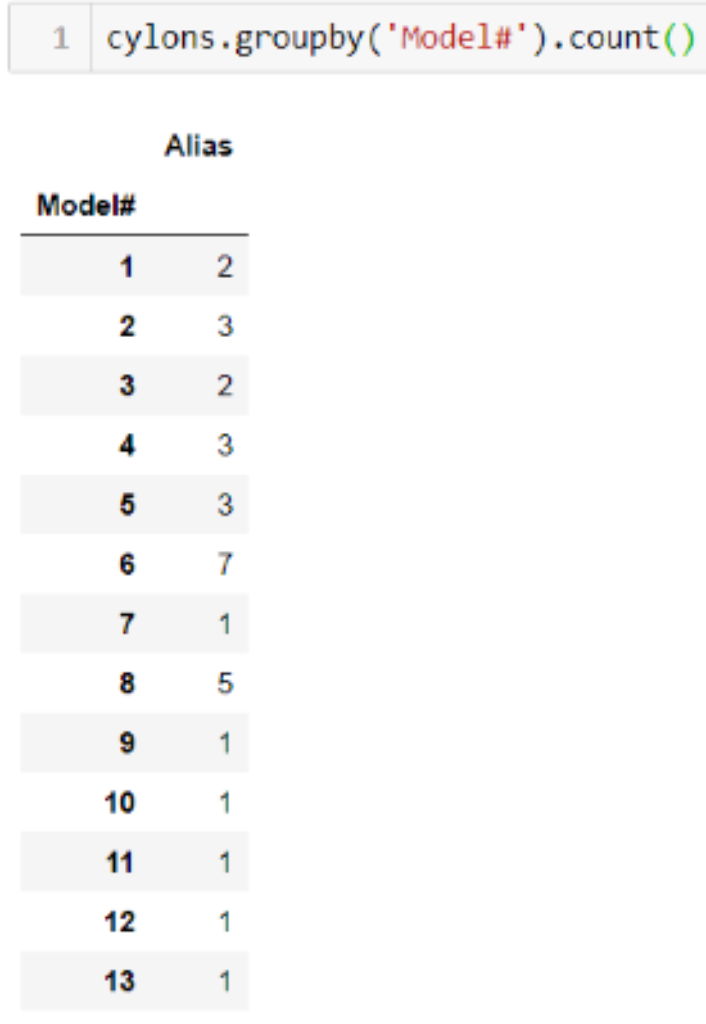
The groupby function puts all elements of a certain category together by finding each unique value in the column specified and converting that to a new index. If you were to group our cylons_df by the Model# but not apply a function to it, the code can run the grouping, but it doesn’t know what to do with the other columns. There would be a new index, with extraneous data that doesn’t fit the new index length or match up in anyway. By applying an aggregation function, such as .count(), the code can perform an aggregation on the other columns and keep them in the object.
For example, if we run cylons_df.groupby('Model#').count(), our DataFrame index is converted into the unique values of cylon model numbers, and then the other data is counted based on how many there are of each model number.
What does this error mean: `TypeError: unsupported operand type`?
Have you ever gotten an error similar to this: TypeError: unsupported operand type(s) for +: 'int' and 'str'? If so, its because you were trying to combine data of different types, and Python doesn’t like that! Let’s take the following code, where we are trying to concatenate a string to the end of an integer to make a new sentence:
for x in cylons['Model#']:
    print(x + ' is the best!')
This would throw the following error:
TypeError: unsupported operand type(s) for +: 'int' and 'str'The TypeError will typically tell you what two datatypes you are trying to combine, as in the above code snippet. So to fix our error, we just have to alter these data types to make them play nice! To do that we can change our integer to a string as follows:
for x in cylons['Model#']:
    print(str(x) + ' is the best!')
Now when we run the code, we get the result we are looking for:
6 is the best!
6 is the best!
6 is the best!
6 is the best!
6 is the best!
6 is the best!
6 is the best!
3 is the best!
3 is the best!
Where can I get more help with Pandas?
We have put together a fantastic Pandas reference guide that can be used inside Jupyter Lab to run live coding samples! The file is located here.
Sources:
McKinney, W. (2013) Python for Data Analysis. O’Reilly Media, Inc, USA.